
We live in a digital age where online shopping has greatly influenced businesses of all sizes, and Shopify is one such example. But before you master the leading platform to its full potential, exploring the Shopify version history is crucial for you, your developers, and vendors. This will allow you to make your store functional, competitive, secure, and, above all, sales- and revenue-oriented.
Once you realize how the platform expands, you can easily leverage new features and updates to optimize user experience (UX) and conversion rates.
This blog post provides a detailed overview of the Shopify version history.
Shopify Version History (2006 to Date)
Before we explain Shopify’s version history, it is crucial to understand how the world’s famous e-commerce platform began in June 2006, exactly two decades ago. Currently, Shopify has become the major engine driving the scalability of the global e-commerce industry.
The good thing about Shopify is that it’s continually improving, frequently updated, and offers users incredible features and enhancements. The important attributes of Shopify are:
Shopify Editions
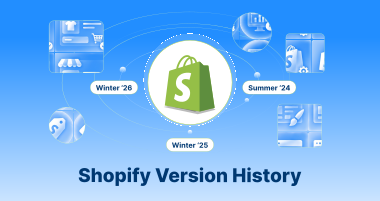
As you may be aware, the platform launches crucial updates twice a year (every six months), known as “Editions.” In these editions, users can experience features and improvements that improve the performance of the popular CMS, Shopify. They are marked by the year and season of release.
- Winter ‘26
- Winter ’25
- Summer ’24
- Winter ’24
- Summer ’23
- Winter ’23
- Summer ’22
- Winter ’22
- Summer ’21
- Winter ’21
- Summer ’20
According to Shopify’s version history, the platform has delighted users with its standout features.
Shopify API Versions (Developers-Specific)
As for these Shopify versions, a date-based format helps demonstrate them.
- 2026-07 (Upcoming)
- 2026-04 (Current)
- 2026-01
- 2025-10
- 2025-07
- 2025-04
- 2025-01
- 2024-10
- 2024-07
- 2024-04
- 2024-01
- …and several previous versions of the Shopify APIs
Each stable API version typically receives a year of top-notch support. Therefore, developers must leverage the above stable Shopify API version list when updating their apps to the latest versions.
This will empower them to experience a wide range of stunning features while meeting the required compatibility.
Theme Architecture
There is no denying that developers and store owners need to understand theme architecture effectively when crafting online e-commerce stores. Compared to API versions, theme architecture is not numbered. Theme architecture consists of vintage themes and online store 2.0 (OS 2.0) themes.
You can assume vintage themes; the old theme architecture, which comprised different themes, was available to users. They are currently not available in the theme store.
Online store 2.0 Themes (OS 2.0) is the most up-to-date and advanced theme architecture, offering many features such as app blocks, dynamic sources, sections on every page, etc.
With these features, store owners don’t need to edit code or enhance their online stores; they can customize them to their unique, ever-changing needs.
Other Versioning
The history of the Shopify version indicates that the platform has other crucial versions, such as the Shopify CLI, theme versions, and individual apps.
The Shopify CLI is regularly updated to enable developers to create, analyze, and manage Shopify themes, apps, and custom storefronts concurrently in a local environment.
If we specifically talk about theme versions, the role of individual themes becomes more useful. For example, the default “Dawn” theme includes its assigned version number, such as Dawn 15.4.0.
These version numbers are regularly updated and contain new features, bug fixes, and enhancements.
Key Features of Shopify 1.0 and Shopify 2.0
Both these Shopify versions, 1.0 and 2.0, have significantly improved the productivity and impact of the leading e-commerce platform worldwide.
The following table explains the key features of Shopify 1.0 and Shopify 2.0:
| Salient Features | Shopify 2.0 | Shopify 1.0 |
| Development Tool | Shopify CLI | Theme Editor |
| Coding Structure | Implementation of dynamic sources to add resource properties and meta fields for setting defaults. | Implementation of hard-coded meta fields in the theme, or it depends on APIs to update or edit product pages. |
| Theme Updates | Various methods or approaches to update the page’s hierarchy. | Store owners or managers need visitors to visit several sections to update the page’s hierarchy. |
| Default Theme | Dawn | Debut |
| Default Sections | All Pages | Specifically on the Home Page |
| App Integration | Theme App extensions via the app block | Develop integration logic for each theme |
| File Picker | All features of Shopify 1.0, along with images and PDF files | JSON, Color data, time, rating, text, true or false, URL, reference |
| Shopify App Assets | Shopify CDN will host the assets submitted via the theme app extension. | Developers must host the assets |
The above Shopify version history list shows that the leading e-commerce solution has come a long way. From a rigid, technical platform to a user-centric, convenient, logical, and simple one, Shopify has revolutionized the e-commerce landscape.
Shopify 2.0 is a testament to the above statement becuase it has provided users with many helpful features that have enabled the platform to shift from a developer-friendly to a merchant-friendly solution.
For instance, store owners or managers can benefit from Shopify CLI, an impressive, simplified, and, more importantly, advanced development tool. That’s why we have added Shopify to our list of the top CMS platforms.
What’s New in Shopify’s Winter 2026 Edition?
Shopify current version, Shopify’s Editions Winter ‘26, known as the Renaissance Edition, contains 150+ new updates. This edition comprises bold Renaissance-style imagery, initiating the “new world” of commerce dominated by AI and agentic capabilities.
The release helps reshape commerce with Sidekick as an AI coworker, new agentic storefronts for selling within AI chat platforms, and comprehensive enhancements across finance, B2B, retail, and developer tools. This edition indicates a massive switch toward AI-native commerce experiences.
Therefore, businesses, whether small or large, should take advantage of Shopify development services to transform their current online stores and reach new heights, attracting new customers and retaining existing ones, while maximizing profits and growth.
Shopify Revenue in 2025
Shopify, a leading, powerful, and results-driven e-commerce platform, reached annual revenue of $11.556B, a 30.14% increase from 2024. Similarly, it achieved annual revenue of $8.88B, a 25.78% increase from 2023.
Wrapping Up
We hope you liked our blog post explaining Shopify’s version history. All these Shopify releases, updates, and improvements portray the significance of a well-known platform that has revolutionized the e-commerce landscape for all the right reasons.
Regardless of whether you are a small business owner or manage a large business, Shopify is here to help you. It offers a smooth interface that makes life easy for newbies and pros without any discrimination.
Moreover, you can benefit from a wide range of essential features and integrations to keep your online stores functional, productive, and impactful at all times.
FAQs
Who are Shopify’s biggest competitors?
Some well-known companies have given Shopify a tough time, including BigCommerce, Salesforce, SAP, Oracle, Adobe, Intershop, and Kibo.
When was Shopify 2.0 Released?
The launch of Shopify 2.0, also known as online store 2.0, marked a notable milestone for Shopify. Shopify 2.0 was officially released on June 29, 2021.
Does Shopify work with Shein?
Shopify is compatible with Shein. For that reason, you will use third-party apps to import products for dropshipping or to sync your inventory for selling on the Shein marketplace.
What are Shopify editions?
Shopify editions are seasonal product releases that introduce key features, updates, and improvements to its platform. These releases occur two to three times a year and include dozens, or even hundreds, of updates across all aspects of the platform, from checkout and marketing to developer tools and point-of-sale systems.
Can I hire someone to build my Shopify?
Undoubtedly, Shopify’s interface makes it easy to set up a basic store. However, professional development experiences can help you stand out from competitors. Therefore, you should hire a Shopify developer to help you test your product ideas and make your business scalable in the long run.