


Ever wondered why a $73 donation on some Shopify stores shows up as dozens of separate line items in the cart? It’s not a glitch. It’s how most donation apps are built; it’s quietly costing merchants conversions.
If you want to run a donation campaign and are evaluating Shopify apps to boost engagement, this is the one technical detail almost nobody talks about upfront. It sounds minor. It isn’t. Let’s break down what’s actually happening in the cart. Why it matters. And how Donate Now solves the donation amount-splitting problem in the cart with a single-item approach that keeps checkout clean.
What Is Happening When a Donation Splits Into Multiple Cart Items?
Here’s the short answer: most Shopify donation apps don’t have a native way to charge a custom, merchant-defined amount as one product. So instead, they simulate it by adding multiple fixed-price “donation” products to the cart to match the exact donation amount.
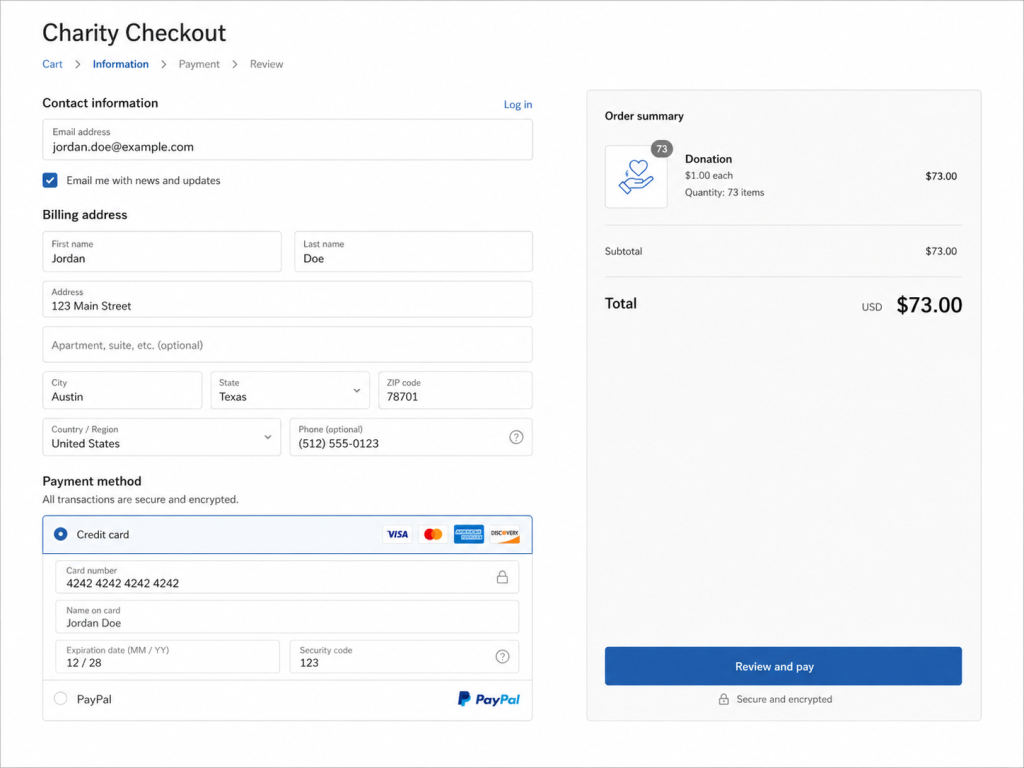
Donation Amount Splitting Situations We Have Experienced with Some Shopify Donation Apps
We have tried to donate $73 to a cause. Here’s what happened next!
- The app quietly added 73 separate $1 donation items.
- Even one app made us confused by splitting $73 into $50 + $20 + $3 items just to hit the number.
From the customer’s side, this looks broken. From the merchant’s side, it’s worse. Here’s why:
- Cluttered, confusing cart pages
- Inflated item counts that skew analytics and average order value
- POS and checkout slowdowns from processing dozens of line items
- Donor trust taking a hit when the cart looks glitchy instead of generous
Why Does Donation Amount Splitting Happen Across “Top” Donation Apps?
Most Shopify donation apps, even some of the most installed ones on the Shopify App Store, were built around fixed presets. They let you donate like: $5, $10, $25.
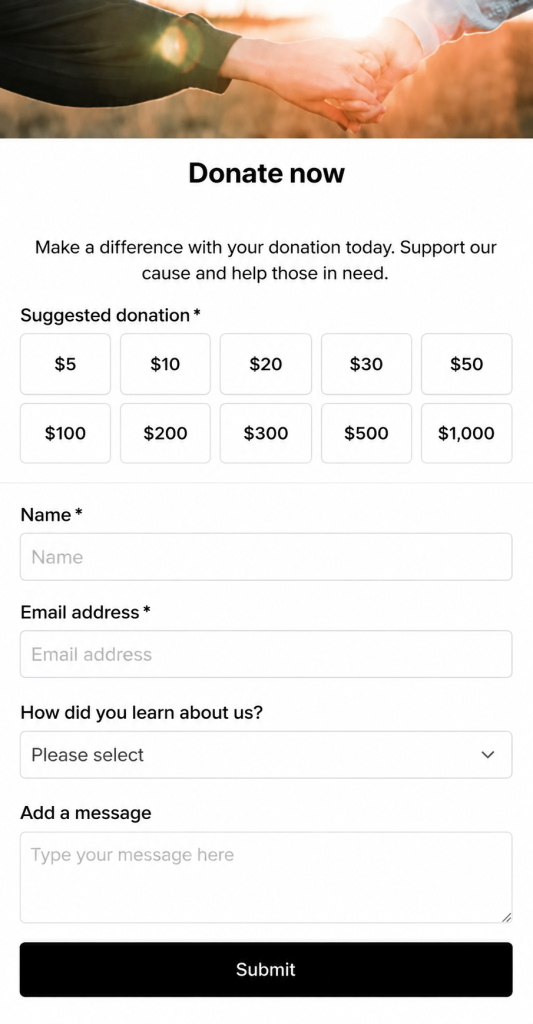
Rather than true custom, round-up, or flexible giving.
When a merchant wants to support any amount the donor chooses, the underlying architecture in some apps doesn’t natively support that. Rather than representing that as a single cart item, it falls back to stacking smaller units.
It’s a workaround, not a feature. And donors rarely notice why their generosity turned into a cluttered checkout; they just feel the friction.
Solution to Shopify Donation Amount Splitting? Choose Donate Now
Donate Now is the best fundraising app in Shopify. It treats a donation the way it should be treated: as a single, clean transaction. Whether a customer gives $5 or $500, it appears in the cart as one line item. And when the customer sees the exact amount they chose, they gain trust and check out instantly.
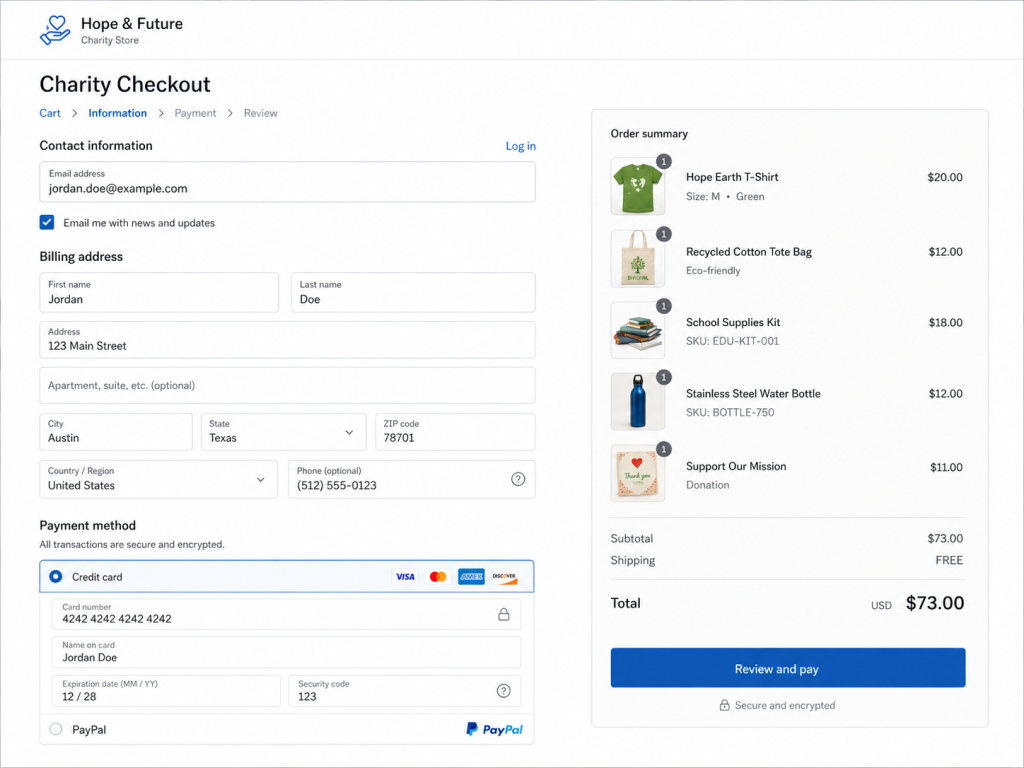
No stacking. No fixed-denomination math. No 70-item cart surprises.
This one architectural decision has a ripple effect across the entire donation experience:
| Feature | Typical Donation Apps | Donate Now |
| Custom donation amount | Often split into multiple items | Single cart line item |
| Cart clarity | Can clutter with 10-70+ items | Clean, one-line entry |
| POS compatibility | Inconsistent | Native POS & online support |
| Round-up donations | Rarely supported cleanly | Built-in round-off at checkout |
| Donation goals & progress | Basic or missing | Live progress tracking |
| Donor recognition | Limited | Offer Shopify donor wall block |
| Fee coverage option | Rare | Donors can cover processing fees |
Where Can You Add Donate Now on Your Store?
Donate Now isn’t limited to one spot on your storefront. Using Shopify’s Theme Editor, merchants can drop donation elements almost anywhere:
Campaign Donation Block
A dedicated donation widget you can place on any page: homepage, product pages, or a standalone giving page.
Round-Up Donations
Let customers round their cart total up to the nearest dollar (or more) and donate the difference. It’s a proven, low-friction way to boost participation in your cause.
Donation Progress Bar
Show real-time progress toward a fundraising goal, right on the Shopify storefront.
Donor Wall
Publicly (and tastefully) recognize recent supporters to build social proof and encourage more giving.
POS Integration
Donations aren’t limited to online checkout. Donate Now is just one of the few app donations in Shopify that lets merchants accept in-person donations with POS.
What Makes a Donation Feel Easy for Customers?
If you ask any donor, “easy” usually means three things: fast to complete, transparent about where the money goes, and free of confusing checkout surprises. Splitting a single gift into dozens of cart entries fails all three. A single, clear line item does the opposite; it reinforces that the store respects the donor’s time and intent.
That’s the philosophy behind the Donate Now app for Shopify stores. It makes donations feel as smooth as buying a product, not like a checkout workaround. It’s one of several best Shopify apps worth exploring if you’re building out your store’s toolkit.
Quick Setup Checklist for Merchants
- Install Donate Now from the Shopify App Store
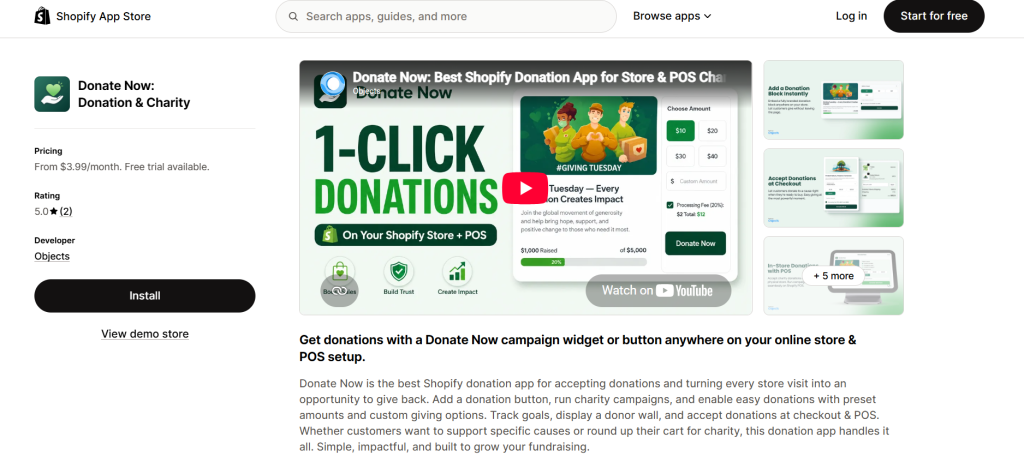
- Choose a plan that fits your store’s size
- Create your first campaign (Donation Block or Round-Off)
- Customize branding, goals, and success messages
- Add the block anywhere via Theme Editor
- Enable POS support if you sell in person
- Go live and start collecting clean, single-item donations
For a full walkthrough of installation, plan selection, campaign creation, and POS setup, read the complete Donate Now documentation. It covers every step in detail.
Is a Single-Item Cart Really That Big a Deal?
For a donor typing in $5, maybe not. But charity campaigns tend to attract larger, more generous gifts. And that’s exactly where the multi-item problem gets worse. The bigger the donation, the messier the cart, and the more likely a well-meaning customer second-guesses the purchase entirely. A clean single-line donation removes that hesitation at the exact moment it matters most.
Final Thoughts
Donation features are one of the easiest ways to build goodwill and boost engagement on a Shopify store. But only if the checkout experience matches the intent behind the gift. A cart stuffed with dozens of line items for one donation undermines the very generosity it’s meant to capture.
If you’re comparing options, it’s worth checking how each app handles this before you commit.
Ready to see it in action? Install Donate Now on the Shopify App Store and give your customers a donation experience that’s as generous as they are.