

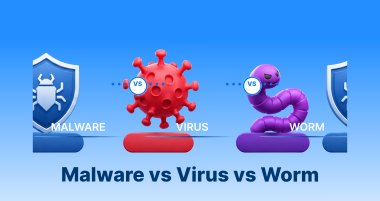
Do you consider malware the same as a virus? Do you perceive a worm as another form of virus? If you have ever done that, you are probably among the millions who think the same way. Interestingly, netizens, whether novice or experienced, use all these terms interchangeably.
This blog post will evaluate malware vs virus vs worms.
What Do You Mean by Malware?

Malware is software designed to cause harm. As a user, you can compare the terminology “malware” to another terminology “vehicle.” All software-based threats are malware; for example, you can assume that all cars and trucks are vehicles.
That said, there are multiple sorts of malware. In easy words, you can enjoy an SUV, a car, and a truck. Thus, you will have three vehicles. That said, not every vehicle is a truck, an SUV, or a car. Likewise, viruses and worms can be assumed malware, but not all malware is a worm or a virus.
What Do You Mean by Virus?
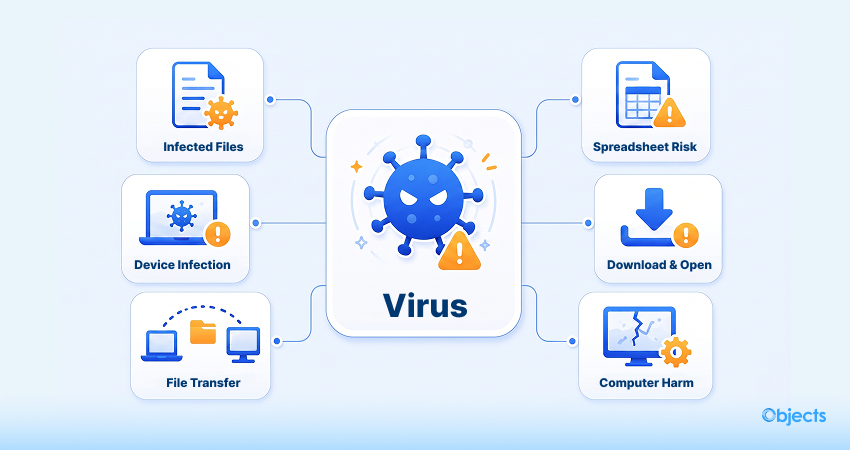
Viruses can infect any device or computer when they are transmitted via files. For instance, a spreadsheet may contain a virus, and if someone downloads it and opens it, their computer can get infected.
What Do You Mean by Worm?
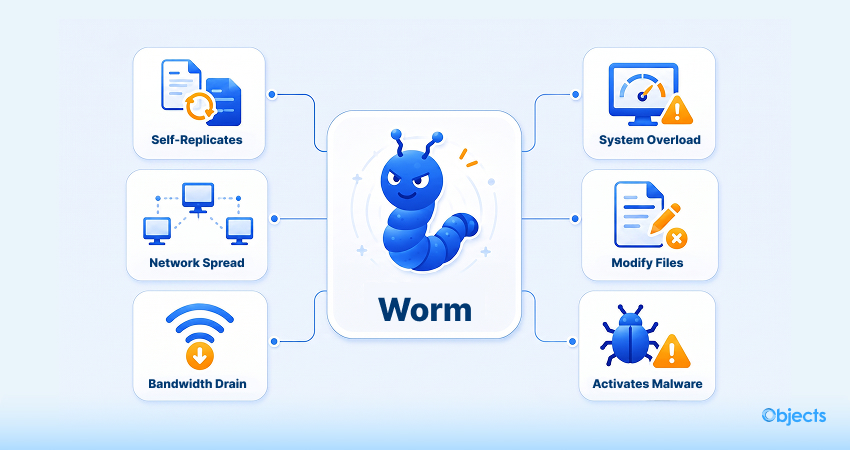
A worm is a type of malware that can replicate and spread across devices within a network. When they spread, worms replenish bandwidth and overload infected systems. As a result, they become unavailable or untrustworthy. Additionally, they can modify or delete files or activate other malware.
Malware vs Virus vs Worm – (Key Differences)
This section will discuss the differences among malware, viruses, and worm. Doing so will help you better understand these terms in the right direction.
| Features | Malware | Virus | Worm |
| Definition | A term used for any software developed to infect or exploit a system (examples include viruses, worms, ransomware, spyware). | A malicious program that attaches itself to a legitimate “host” file or program. | A standalone program that is not dependent on a program or a host file to operate. |
| Propagation | Relies on the particular type of threat. | Depends on human action. It only activates and spreads when a user opens, runs, or shares the infected host file. | Human action is not required. It self-replicates and automatically exploits network weaknesses to spread from device to device. |
| Primary Goal | Varies from hacking data to encrypting files or locking users out. | To change or destroy existing files on the host computer. | To use up bandwidth and system resources, triggering network or computer crashes. |
Distribution Channels for Malware
Contemporary malware comes through the following distribution channels to a computer or network:
- Drive-by download: Unintended download of computer software from the Internet.
- Unsolicited email: embedded links or unneeded attachments in email.
- Physical media: Removable or integrated media like USB drives
- Self-propagation: Malware can propagate from computer to computer or network to network, spreading on its own.
How can We Safeguard Devices from Malware, Viruses, and Worms?

As an individual user, you can follow different ways to protect your computer, laptop, or other devices from devastating threats like malware, viruses, and worms, including:
- Try using a powerful antimalware program.
- Explore how to identify malicious programs or software. Monitor applications that seem dubious or behave suspiciously. If your computer is running slowly or overheating, check whether malware has affected it.
- Don’t download software or programs from websites that look vulnerable.
- Consider deploying a firewall.
Best Practices for Businesses and IT Teams (Protecting Devices from Malware, Viruses, and Worms)

Businesses and IT teams that are responsible for safeguarding multiple devices and users against malware, viruses, and worms should focus on implementing a layered approach that comprises:
- Applying first-line-of-defense tools that can expand, such as cloud security platforms.
- Abiding by policies and practices for application, system, and appliance patching.
- Deploying network segmentation to diminish outbreak exposures.
- Following next-generation endpoint process monitoring tools.
- Accessing timely, accurate threat intelligence data and processes that allow that data to be incorporated into security monitoring and eventing.
- Performing deeper and more advanced analytics.
- Evaluating and following security response procedures.
- Regularly backing up data and examining restoration processes are key in a world of fast-moving, network-based ransomware worms and devastating cyber weapons.
- Carrying out security scanning of cloud services, application administration systems, and microservices.
- Analyzing security systems and discovering the use of SSL analytics and SSL decryption.
What Do You Know About an AI Worm?
An AI worm is a self-propagating malware that exploits large language models and their automation pipelines. As for this malware, it operates differently from conventional viruses: rather than dropping executable files, an AI worm injects self-replicating prompts that hijack an AI system’s output, forcing every response, summary, or API call to propagate the infection.
Wrapping Up
We expect you to enjoy our blog post explaining the differences between malware vs viruses vs worms. Exploring and benefiting from the differences among these concepts helps you win half the battle. Therefore, keep your software updated and regularly back up your data to avoid facing such cyber threats in the future.
FAQs
What is the difference between malware and a virus?
You can consider all viruses as malware. However, malware also comprises threats such as worms, spyware, and ransomware.
What are the four types of malware?
Malware (malicious software) is code created to hamper, disrupt, or gain unauthorized or unapproved access to any computer system. Undoubtedly, there are many variations, but cybersecurity experts usually categorize malware into four familiar yet key types: Trojans, Viruses, Spyware, and Ransomware.
How can you tell if you have malware on your phone?
Android users can scan their phones to identify malware using the built-in Google Play Protect. Likewise, they can consider installing a trusted third-party app, such as Malwarebytes, on their phones.
What are Trojans?
A Trojan is a malware that users assume is legitimate, but it is not. Unfortunately, they load and execute it on their devices. Once they are activated, they can carry out various attacks on the host, ranging from annoying the user (changing desktops or popping up windows) to harming the host (removing files, hacking data, or enabling and spreading other malware, such as viruses).
What’s a virus hoax?
As a disturbing message, the virus hoax warns the recipient of a virus or threat that is not present. Users should not perceive virus hoaxes lightly. If they are seen often enough, they can lead some users to ignore all virus-warning messages casually. Hence, they can be prone to a real virus that may harm them or cause data loss or other problems.