
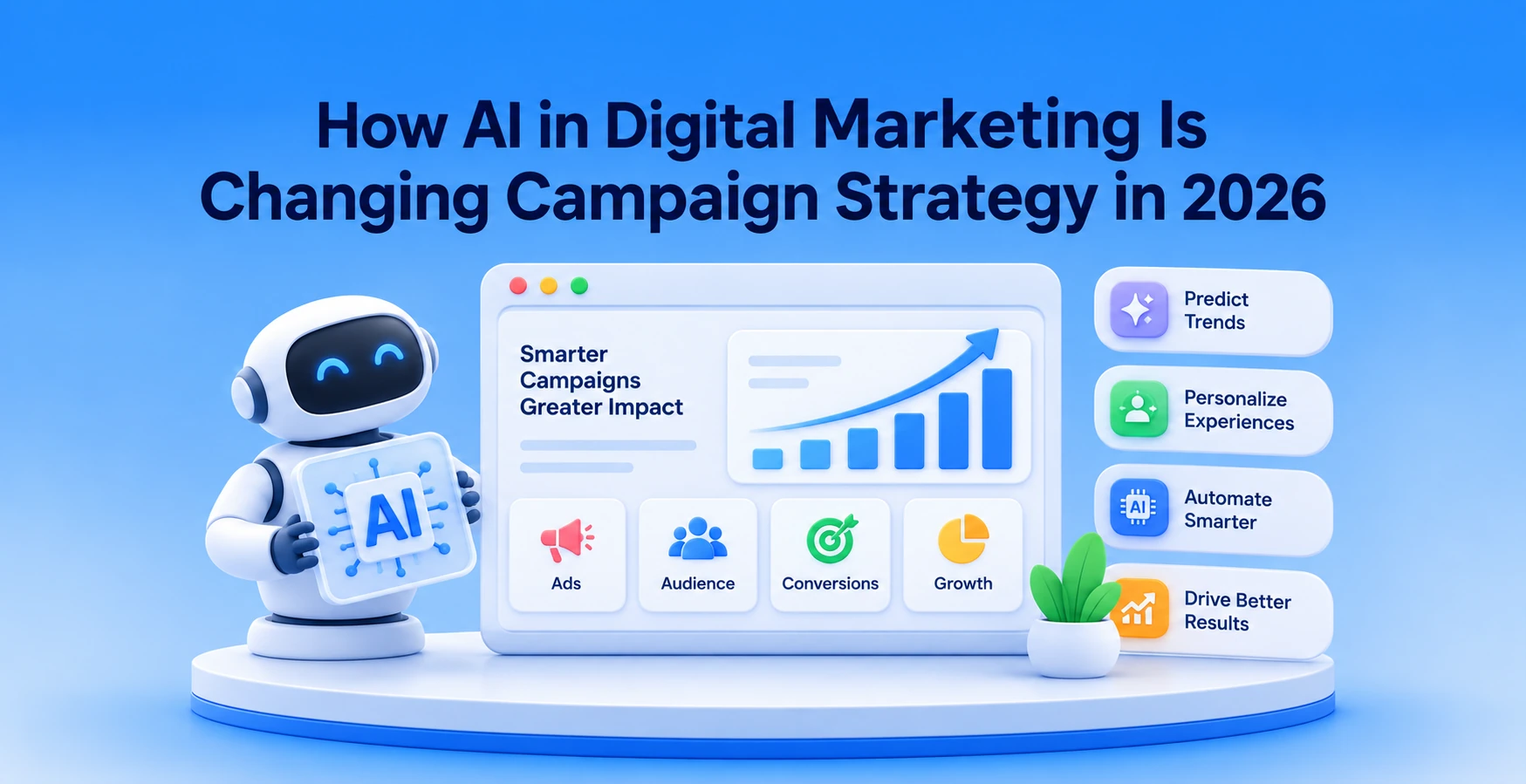
Most marketing teams already use AI in digital marketing somewhere. ChatGPT for ad copy. An email platform that picks send times on its own. Maybe a bidding algorithm inside Google Ads that nobody fully understands, but everyone leaves turned on. The tools are there.
But using a handful of AI features and actually rethinking digital marketing campaigns are two very different things. One is adoption. The other changes how the whole process runs.
And that is exactly what we are sorting out here. We will show you what AI-driven digital marketing actually means and 7 ways it is reshaping marketing strategy. You will also get 10 AI tools that will make your job a whole lot easier and 5 ways to start using AI without tearing up your current setup.
What Is AI in Digital Marketing?
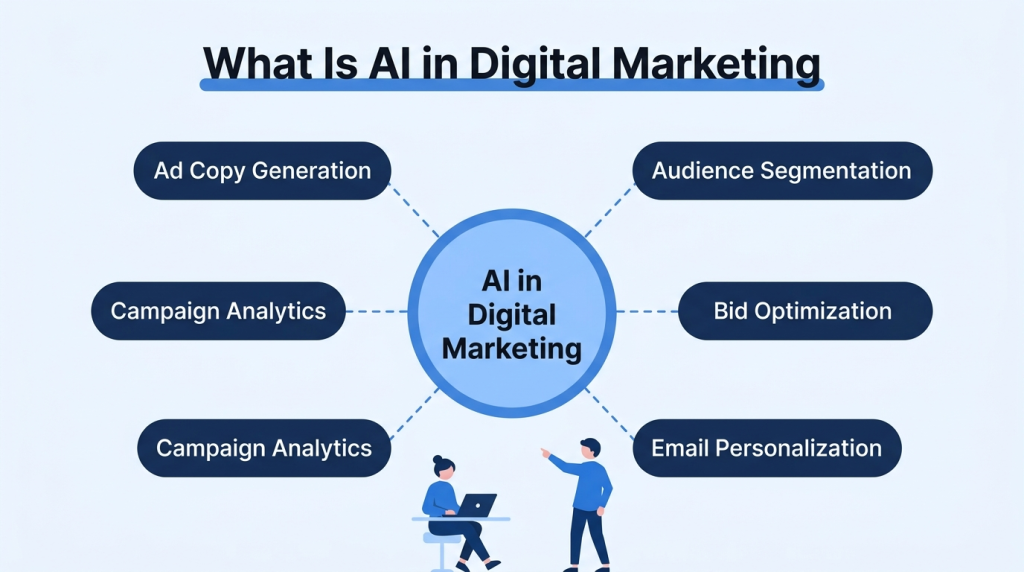
AI in digital marketing refers to machine learning, natural language processing, and predictive models doing work that digital marketers used to do manually – writing ad copy, building audience segments, adjusting bids, personalizing email content.
It is inside the platforms that teams already use. Google Ads has it. HubSpot has it. Salesforce has it. It is not a separate tool you install. It is a set of capabilities built into the software your team is probably already logged into.
How AI in Digital Marketing Is Changing the Way Campaigns Get Planned and Run
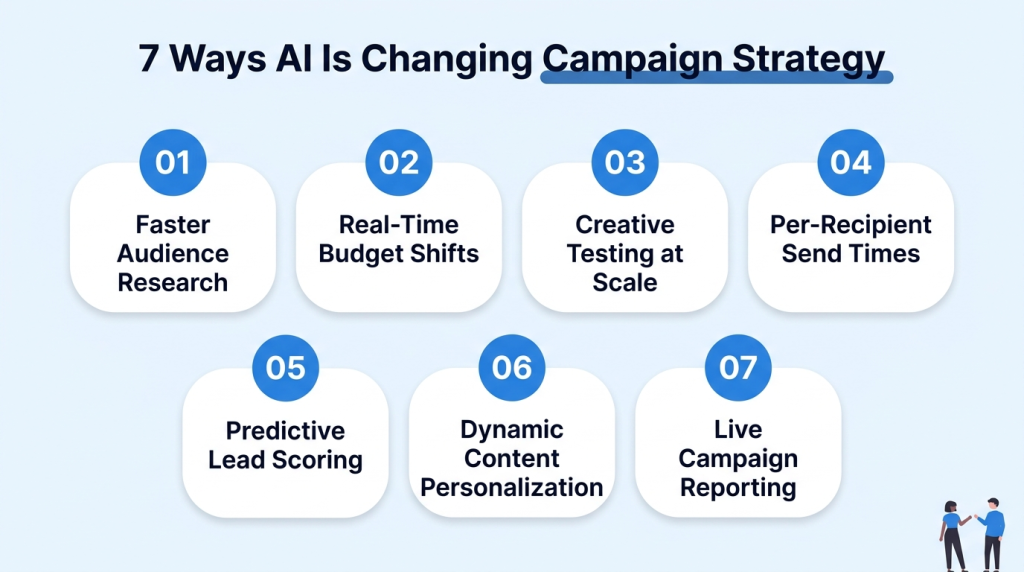
Here are 7 ways artificial intelligence is shaping digital marketing campaign decisions long before an ad ever goes live.
1. Audience Research That Used to Take Weeks Now Runs in Hours
Building audience segments the old way meant exporting CRM data and cross-referencing purchase history with demographics. Days of spreadsheet work. AI collapses that timeline. Salesforce Einstein and HubSpot’s AI features process behavioral data and produce segments automatically.
According to Salesforce’s latest data, 75% of marketing organizations now use at least one form of AI technology for tasks like audience segmentation. That means the campaign starts reaching the right people days earlier than it would have with a manual research process.
2. Budget Moves Between Channels Based on Live Performance, Not Monthly Reviews
Traditional campaign setup – you allocate budgets across channels on day one and review performance at month-end. If Google Ads started underperforming on day 8, the money kept going there until someone checked the numbers 3 weeks later.
AI-powered allocation watches performance in real time. Google’s Performance Max shifts spend across Search and Display based on where conversions are actually happening. Meta’s Advantage+ does the same within its ecosystem.
Digital advertising starts to feel very different from traditional planning because the budget follows the results instead of staying in whatever channel someone assigned it to 4 weeks ago.
3. Creative Variations Get Tested at a Scale No Team Could Match Manually
A/B testing used to mean two headlines. Maybe three if the team had the time. AI ad platforms now generate image and headline combinations and test all of them across different audience segments at once.
The versions that perform well get more ad spend. The ones that don’t get pulled. A team doing this manually might test four or five variants in a week. AI algorithms test 30+ in the same window and identify the top performers without anyone building a comparison spreadsheet.
4. Email Send Times Adjust Per Recipient Based on Individual Open Patterns

Standard email marketing – you pick a send time for the whole list. But your subscribers don’t all check their email at the same hour. AI send-time optimization looks at when each person on your list historically opens and delivers the email at that individual’s best window.
One subscriber gets it at 7:15 am. Another gets the same email at 1:30 pm. Mailchimp and Klaviyo both offer this. So does HubSpot. The customer engagement and open rate improvement is typically 10-20% compared to a flat send time, and you don’t change a single word of the email to get that lift.
5. Conversion Predictions Identify Which Leads Are Most Likely to Buy
Older lead scoring was rule-based. Visited the pricing page – add 10 points. Downloaded a PDF – add 5. AI scoring works differently. It processes hundreds of customer behavior signals across thousands of records and finds patterns a human would never spot.
Maybe leads who visit the landing page twice within 48 hours and also open two emails that same week convert at 4x the average. That pattern only shows up when the model has enough consumer data to find it. Salesforce Einstein and HubSpot both run predictive scoring this way.
And these systems don’t just rank leads. They also predict future trends based on how similar users have behaved in the past.
6. Content Gets Personalized by Segment Without Building Separate Campaigns
Personalization before AI meant building five versions of the same email for five segments. AI dynamic content handles this inside one campaign.
The headline changes based on who is viewing it. The CTA adjusts depending on where that person is in the buying process. A new visitor sees “Learn more about X.” Someone who already browsed your pricing page sees “Start your free trial.”
Personalized CTAs outperform generic ones by 202% as this relevance has a direct impact on customer satisfaction. AI is what lets you do this kind of personalization without people manually creating every variation one by one.
7. Campaign Reporting Happens in Real Time Instead of After the Campaign Ends
The old reporting cycle looked like this:
– Campaign runs for two weeks
– Data gets pulled into a deck
– Team reviews it the following week.
By then, the campaign is over, and the insights are based on historical data. AI reporting tools produce live dashboards that update and analyze data while the campaign is running.
Google Ads automated insights flag performance changes as they happen. Meta’s reporting does the same. You get actionable insights while you can still act on them, not after the window has closed.
10 Best AI Tools for Digital Marketing You Can Use for Smarter Campaigns
These 10 cover the most common AI applications in SEO and content, alongside paid media and email.
| Tool | Best For | Price |
| ChatGPT (OpenAI) | – Ad copy drafts- Campaign briefs | – Free – $20/mo Plus |
| Jasper | – Long-form content- Brand voice templates | From $39/mo |
| SurferSEO | – SEO content scoring- Keyword clustering | From $89/mo |
| HubSpot AI | – Email automation- Lead scoring | – Free CRM- Paid from $20/mo |
| Midjourney | – Ad creative- Social visuals | From $10/mo |
| Semrush Copilot | – Competitive data analysis- SEO audits – Keyword research | From $139.95/mo |
| Zapier AI | – Cross-tool automation- Workflow triggers | – Free- Paid from $29.99/mo |
| Salesforce Einstein | – Predictive analytics and scoring- Campaign data analytics | Included in Salesforce plans |
| Canva Magic Studio | – Social graphics- Video editing | – Free- Pro $15/mo |
| AdCreative.ai | – Performance ad creatives- A/B variants | From $29/mo |
How to Use AI in Digital Marketing Without Replacing Your Entire Stack: 5 Proven Strategies
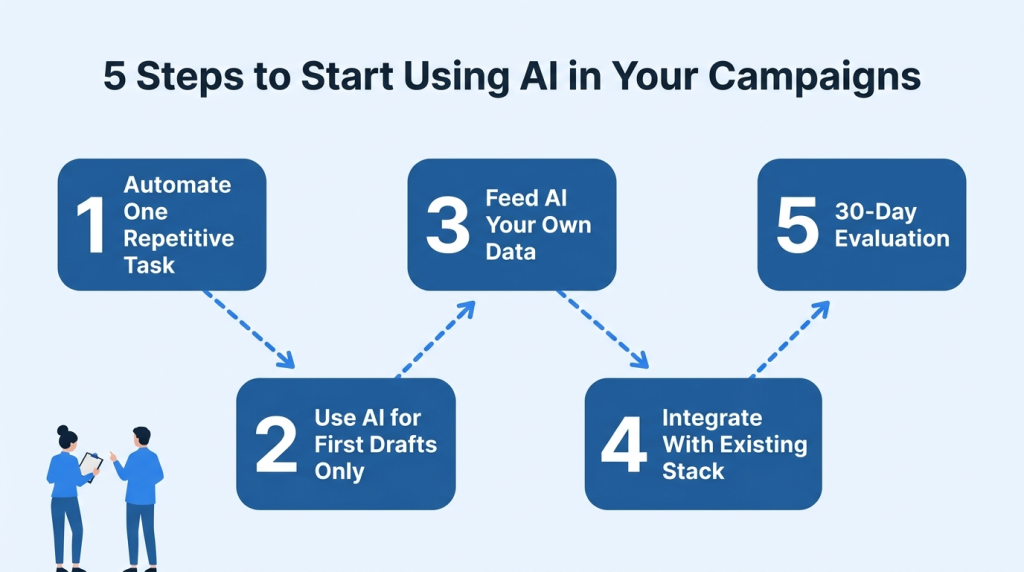
Here are 5 strategies to add AI into your digital marketing setup without changing everything else.
1. Start With One Repetitive Task and Automate That First
Every marketing team has a recurring task that follows the same steps. Weekly performance reports. UTM link generation. Social media post scheduling. Pick the one that takes the most time and automate just that.
It gives the team a quick result they can see, and it builds comfort with AI before anyone tries something higher-stakes like bid optimization or ML-driven models that control budget.
- Write down every recurring task your team does weekly. The one with the most predictable steps and the highest time cost is where to start.
- Zapier or Make can connect most marketing tools. The setup is usually “when X happens in Tool A, do Y in Tool B.” Configuration takes about 15 minutes.
- Track how many hours the automation saves in month one. That number is what gets your manager or client to approve the next automation.
- Stick with low-judgment marketing tasks at first. Automating report generation is different from automating ad spend decisions. One has a low risk if it goes wrong. The other has real financial consequences.
2. Use AI for First Drafts, Not Final Output
You can get a decent email or blog outline from AI models in roughly 30 seconds. Where it still struggles is in keeping your brand voice right and staying fully accurate in industry-specific content marketing. The workflow that works best is that AI generates the first draft and a human edits it for tone and correctness.
That reduces content creation time by 40-60% without dropping quality. 71% of marketing leaders who adopted AI platforms report positive ROI within 6 months. And most of that ROI comes from producing marketing content faster.
- Build a shared prompt library with the prompts that give you the best results for your most common content types. A good Facebook ad prompt saves 10 minutes every time someone needs one.
- Every AI draft goes through a human editor before publishing. Brand voice and factual accuracy are where AI gets it wrong most often.
- Run the AI draft for SEO content through SurferSEO or Clearscope before publishing. AI tends to skip secondary keywords that affect ranking.
- Keep notes on where AI drafts need the most editing. Adjust the prompt if the AI keeps using the wrong tone or gets your pricing wrong.
3. Feed AI Your Own Data Before Asking It to Generate Anything
Ask ChatGPT to write an email for the spring sale with no context, and you will get something that could be from any company selling anything. Give it your brand guidelines and 3 examples of emails that performed well, and the output is way closer to something you would actually send.
Custom GPTs and system prompts with brand context produce much better results than starting from scratch. The same applies to AI tools trained on your data – the more of your actual content and performance data they can reference, the closer the output gets to what your audience responds to.
- Write a 1-2 page brand context document for your tone of voice and target audience. Teams using Microsoft 365 can publish this document through ShortPoint, a SharePoint design software, so brand guidelines stay accessible and easy to update. This gives marketers a reliable source of context before generating AI-assisted content.
- If your email platform has AI features (HubSpot and Klaviyo both do), make sure it is pulling from your actual send history. These tools improve the more of your customer data they can access.
- For paid ad copy, upload your best-performing ads as reference material before generating new variants. The AI will match your proven style instead of producing something off-brand.
- Revisit your brand context document every quarter. Your positioning evolves, and an AI referencing a year-old brief will produce content that sounds dated.
4. Connect AI Tools to Your Existing Stack Through Integrations, Not Replacements
HubSpot added AI to the existing product. Google Ads built AI bidding into the existing Campaign Manager. Salesforce put Einstein inside the existing CRM.
The platforms you already run are adding AI features natively, and activating those costs nothing beyond what you are already paying. That is better than replacing your entire stack with a new AI-native platform and retraining the team.
- Check what your current platforms already offer before buying any new AI tool. Most major marketing tools added AI features in 2025-2026 that plenty of teams haven’t turned on yet.
- If you add a standalone tool like Jasper or AdCreative.ai, confirm it integrates with your existing workflow. An AI tool that requires its own separate login and doesn’t connect to anything else will stop getting used within a month.
- Zapier or Make can bridge tools that don’t have native integrations. A 10-minute Zapier setup that pushes AI-generated content into your CMS saves real time.
- Train your teams properly on how each AI feature fits into daily workflows. 38% of workers struggle to keep up with new tools, and most of the time it comes down to confusion rather than capability gaps.
5. Set a 30-Day Evaluation With Specific Before-and-After Metrics
Adding generative AI tools without checking if they actually help is how teams end up paying for 6 subscriptions and not knowing if any of them are doing anything. Write down one metric you expect to improve before turning on a new AI feature. The simple before-and-after is what tells you whether to expand or try something else.
- One metric per AI test. For send-time optimization, track open rates. For AI ad copy, track CTR. One number. Not a full report.
- Don’t change other campaign variables during the 30-day test. You won’t know which one changed the result if you switch to AI bidding and also change your targeting.
- Record the outcome somewhere the team can find it. “We tested AI send-time optimization for 30 days. Open rate went from 22% to 27%” is what justifies the next AI investment.
- Use the OKRs Tool to create a dedicated objective for each AI experiment and attach the target metric to it. This gives the team one place to track whether a 30-day AI test delivered the expected result before investing more time or budget.
4 AI in Digital Marketing Examples Worth Studying for Campaign Strategy
The examples below are interesting because each one solves a different digital marketing problem instead of using AI for the sake of it.
1. DialMyCalls
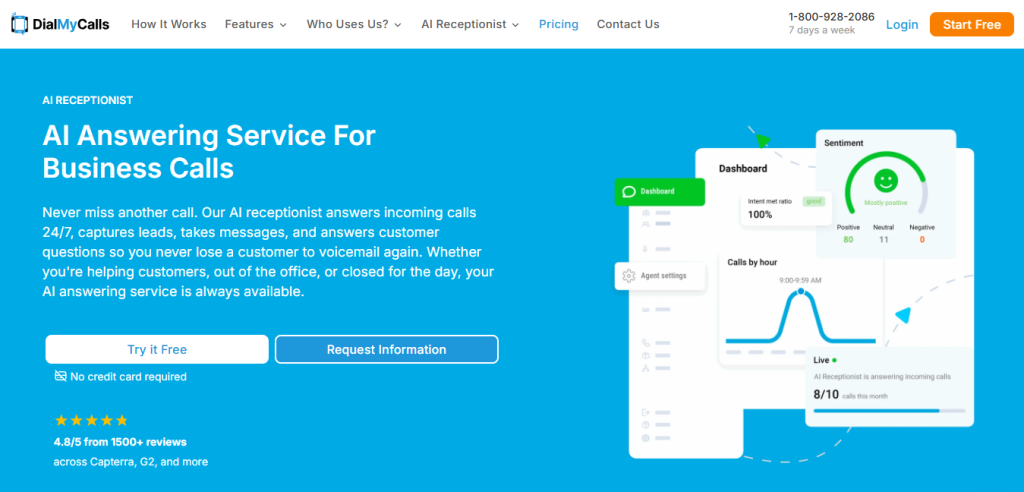
DialMyCalls AI answering service uses AI in its paid search campaigns to handle one very specific problem: wasted high-intent clicks that don’t convert immediately.
When users land from search ads related to “AI receptionist” or “AI call answering service provider,” the AI classifies visitor intent based on click source and time-of-day behavior patterns.
If the system detects urgent intent, it dynamically adjusts the landing page experience in real time. The messaging shifts toward fast setup and immediate activation rather than feature explanations.
At the campaign level, this affects how search ads are structured. Rather than running a single landing experience for all traffic, DialMyCalls runs multiple AI-triggered landing variants tied to intent signals. So the campaign is not just driving traffic. It is actively reworking conversion paths based on predicted urgency.
2. Brondell

Brondell under-sink water filtration systems applies AI in its digital advertising funnel to separate search traffic into different decision paths before users even reach product comparison.
When someone clicks from a search ad like “under sink water filter for hard water,” the AI system classifies the query into a constraint-heavy buying intent. Another query like “best kitchen water filter system” is treated as research-stage intent.
Instead of sending both users to the same product page, the system routes them to different structured landing experiences. One focuses on technical filtration performance. The other focuses on product comparison and installation ease.
This changes campaign structure because ad groups are no longer built around products alone. They are built around intent clusters identified through AI analysis of search behavior. The result is fewer generic landing pages and more segmented campaign paths that match how users think during search.
3. IceCartel
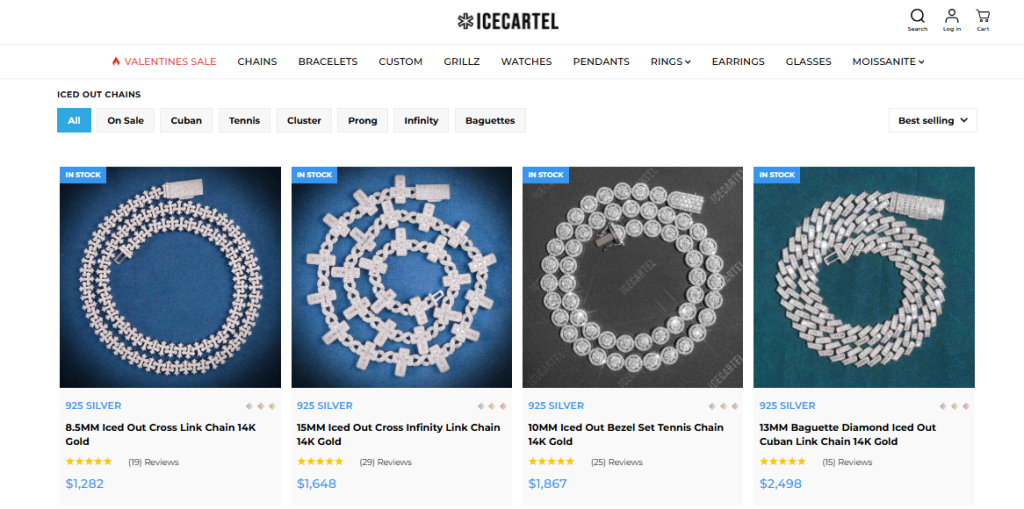
The paid social campaigns of IceCartel rely on AI-driven engagement pattern tracking to manage creative fatigue at the product level, especially in high-competition jewelry ads.
Each “iced out chain” campaign runs multiple visual variants of the same product. The AI tracks performance signals like scroll-stop rate and early engagement drop-off on Instagram and TikTok.
When a creative starts losing engagement velocity, the system automatically reduces its ad exposure and pushes alternate visuals that maintain similar engagement profiles. These replacements are not random reshoots. The AI generates new ad variants based on previously successful framing patterns, like close-up detail shots or lifestyle streetwear context.
This shifts campaign management away from fixed creative schedules. Instead of rotating ads weekly, IceCartel’s system rotates them based on real-time engagement decay signals.
4. Custom Sock Lab

Custom Sock Lab runs high-volume paid campaigns for bulk buyers like sports teams and corporate orders, with AI handling key funnel decisions.
When users arrive from ads promoting “custom athletic socks,” the AI system identifies whether the visitor is likely a single-order buyer or a bulk-order decision maker. It does this using behavior signals like page navigation speed, repeat product views, and interaction with customization tools.
Based on this classification, the campaign experience changes immediately. Bulk buyers are shown streamlined ordering flows with fewer design steps. Individual buyers see more visual customization options.
This directly affects conversion rate because the campaign is no longer sending all users through the same customization process. Instead, AI determines which version of the funnel each visitor enters before they even start designing a product.
Conclusion
AI in digital marketing is not about adding more tools. You have to tighten the loop between action and outcome, so digital marketing efforts start reacting to what is actually happening right now. Look at your marketing calendar and find the tasks your team repeats every single week. Start there. Improve one workflow. Make it reliable. Then build on it.
At Objects, we have built technology for 4,900+ businesses since 2011. Our team of 80+ includes data scientists and ML engineers alongside search engine optimization and marketing professionals.
Whether you need a custom AI integration or an ML model trained on your campaign data, we handle the technical build and the social media management strategy in the same engagement to give you a competitive advantage.
Book a free consulting call to talk through where AI fits in your current setup.