
Consumer preferences are rapidly changing in this digital era. To sustain and even boost sales, businesses must use an effective e-commerce platform that smartly adapts to these evolving demands. Shopify is one such platform that can smartly fulfill and exceed businesses’ specific needs.
However, each online platform or channel has its own strengths and weaknesses, and Shopify is no exception. If you experience issues when managing your Shopify store or website, don’t worry. We will discuss 10 common Shopify issues and some helpful tips to fix them.
This blog post will look more closely at these Shopify issues and show you how to solve them so your online store always runs smoothly.
10 Shopify Issues that can Impact Your Store’s Productivity
Unfortunately, different Shopify store errors can significantly harm your store’s performance. For your convenience, we will list 10 common Shopify issues alongside simple, impactful solutions.
1- Sales Not Going Up
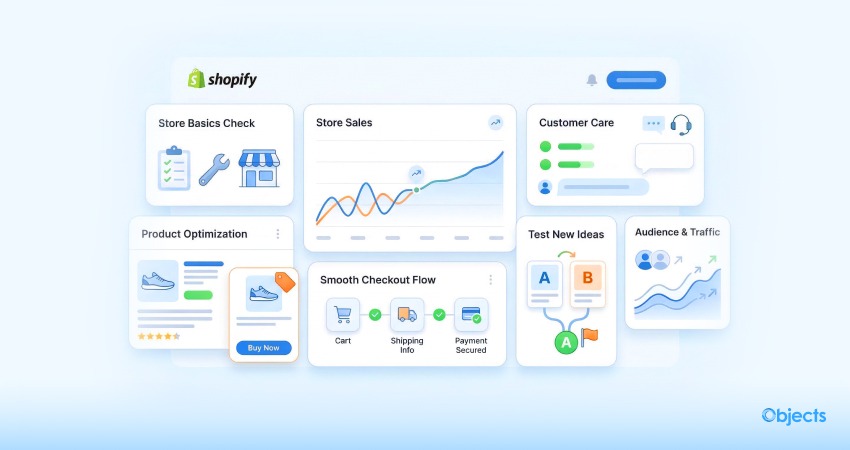
One common Shopify issue is that sales growth often falls short of expectations. As a result, your energy levels may drop, which is not a good sign for a Shopify store manager. Here are some ways to resolve this obvious Shopify problem:
- Look at the basics: Ensure everything in your Shopify store is working correctly. You must know what your current and potential customers need, and ensure your store delivers it.
- Get more people to buy: Look at why shoppers visit but don’t make purchases. You should make your store user-friendly, make buying simple and engaging, and showcase your products well.
- Take care of customers: Plan to keep current customers happy and inspire new ones. You must help[ customers quickly when they want answers to their queries.
- Make products and info better: Offer clear, good info about your products. You must use relevant pictures and clearly describe the features to help new or current shoppers decide to buy.
- Try new ideas: Consider testing new ways to sell your products. Interestingly, you can benefit from different ways to communicate with customers and ensure that what you say is crucial for them.
By working on these things, you can sell products in massive numbers and improve your Shopify store.
2- Different Shopify SEO Issues
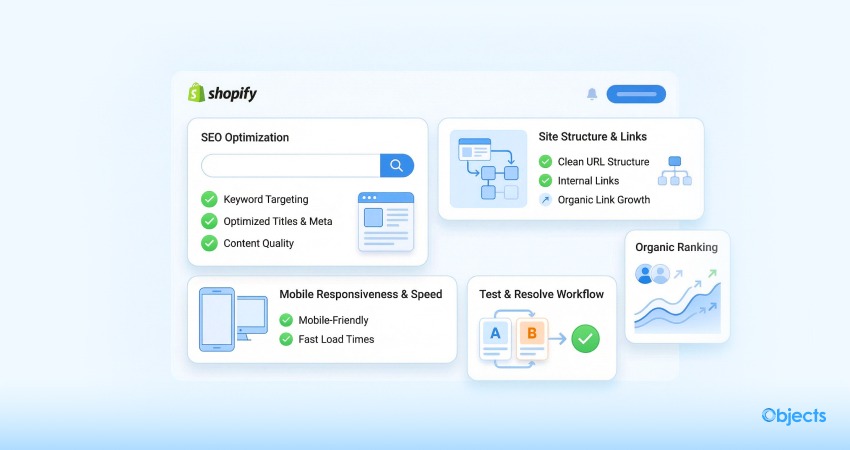
Various SEO issues can hamper the productivity of your online Shopify store, including inappropriate keyword targeting, lack of mobile optimization, improper site structure, and more. For this purpose, you can follow the tactics below to bypass such issues:
- Make your pages better for search: Don’t underestimate the power of impactful titles and descriptions. Use words in descriptions and titles that netizens search for. Make your site simple and easy for users to understand.
- Make your site mobile-responsive: Ensure your Shopify store works seamlessly on mobile phones. Users have started searching for Shopify products on mobile devices in recent years, prompting search engines to rank websites that work well on phones higher.
- Begin working on SEO naturally: Try to get mentions and links organically. That said, perform all these activities in a sequential order. This means that you shouldn’t do it all at once. This way, you can smartly keep things natural and proactively avoid search engine issues.
By following the above points, you can improve your online store’s search rankings, attract more visitors, and drive more sales. Modern shoppers have dynamic needs and wants that keep changing over time.
To ensure efficiency and accuracy, consider following a test-and-resolve approach or contacting a Shopify development company or experienced Shopify professionals to deliver results-driven solutions.
3- Managing Multiple Markets
Supervising multiple markets simultaneously can be challenging. Here are various ways to manage it well:
- Use Shopify apps: Shopify offers a wide range of partner apps, such as CedCommerce, that help you manage stock, examine SKUs, make changes, and handle orders across many markets.
- Join Systems: You can smartly use various tools with Shopify in parallel to streamline processes and work more efficiently.
- Use tech to work smarter: Try tools that make life easier by handling tasks for you. Thus, you can save your precious time and prioritize other tasks that need your focus and attention.
- Train your team well: Ensure your workers know how to manage different areas and use tools properly.
- Check how you’re performing: You must monitor each area’s progress. This way, you can see what’s good and which areas need improvement. Hence, you can amend your plan to work in the right direction.
Overseeing and leveraging various aspects of your Shopify store is challenging, but with the right tools, you can grow your business effectively.
4- Getting Customers

Starting a Shopify business often means failing to find new shoppers. Here are some ways to overcome this:
- Try ads and marketing: Invest in online ads and marketing that support your business. You can use your existing customers to boost your ads. Try examining various platforms to identify the most cost-effective ones.
- Make your store better: Take advantage of an appealing, professional theme. Write or create content in good, easy-to-read English. Simple and effective content makes your store more credible and inspiring. Make the “Buy” button easy for both existing and potential buyers to use and encourage sales.
- Use many ad channels: Don’t rely on just one type of ad. You must use a combination of social media ads and email marketing to engage more visitors. Consider tailoring your messages to each platform to better match its community.
- Know your audience: Understand who you sell to and make shopping simple and engaging for them. Remember, some current or new shoppers might not be familiar with Shopify, hence keep things simple.
5. Ineffective Product Pages
Sometimes, Shopify store owners don’t realize the importance of engaging product pages, so they don’t optimize them as they should. As a Shopify store owner, you can perform the following actions:
- Create simple, benefit-oriented product descriptions.
- Use optimized videos and images.
- Include customer reviews to enhance trust.
- Prominently showcase pricing, shipping, and return policies.
6. Issues with Shopify Payments
At times, your Shopify store may encounter issues processing Shopify payments. Therefore, you can try different measures to avoid experiencing issues with Shopify payments, such as:
- Check Your Shopify Payment Account: Ensure your Shopify account is properly configured and active.
- Check Your Payment Details: Your bank account and payment details are correctly mentioned in the Shopify admin settings.
7. Abandoned Cart Recovery Issues
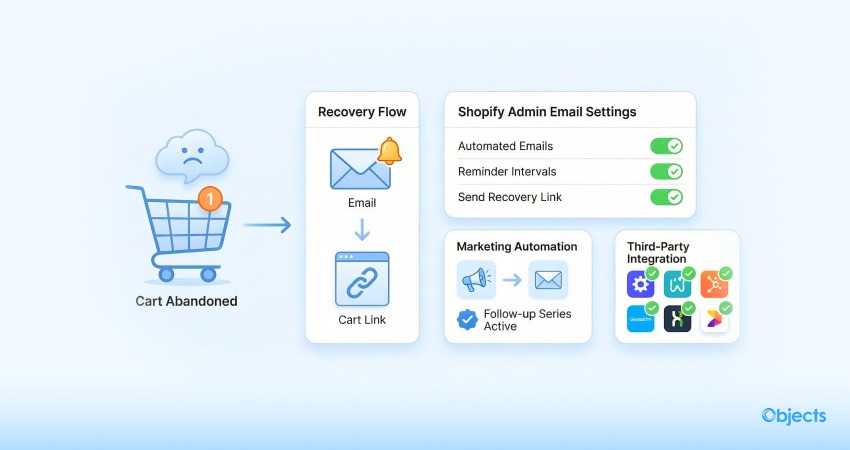
This is one of the leading Shopify store issues, where the Shopify Abandoned Cart Recovery feature doesn’t send automated emails to customers who leave items in their cart. Hence, you should benefit from different tactics to resolve this Shopify store error.
- Check Email Settings: Ensure that abandoned cart recovery emails are activated in the Shopify admin under “Settings” > “Checkout”.
- Use Third-Party Apps: Try third-party apps like Privy or Klaviyo to offer more effective abandoned cart recovery strategies.
8. Inventory Management Issues
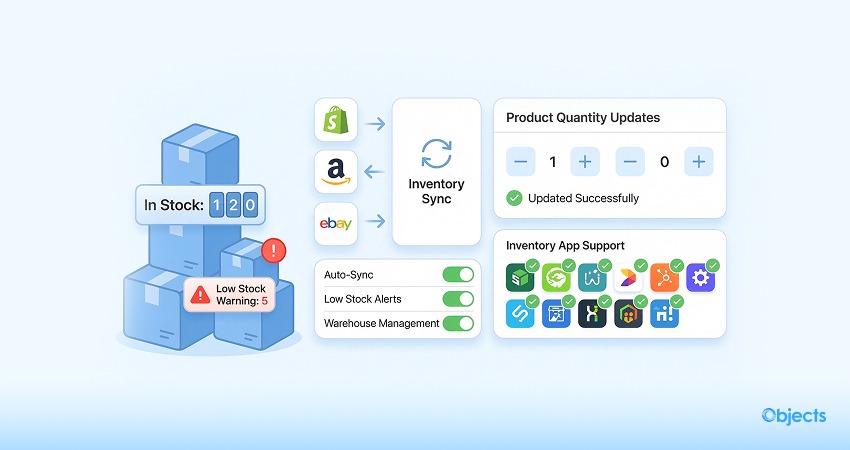
Sometimes managing inventory in the Shopify store can be challenging, especially when stock levels are incorrect or there are multiple sales channels. Therefore, you can take advantage of some measures that let you bypass this common Shopify problem.
- Activate Stock Tracking: Ensure you have activated the “Stock Tracking” feature for each product in the Shopify admin settings.
- Use Stock Management Apps: Benefit from notable stock management apps like Stocky that help you sync multiple sales channels. Likewise, you can simplify and leverage your stock management activities to the next level.
9. Slow Website

If your Shopify site is not performing well, you may lose valuable traffic. To fix issues that slow down your website, here is what you should do:
- Get rid of errors and unnecessary content: Review everything on your Shopify site and erase any repeated errors or items you don’t want. This can make your site lighter and help pages load faster.
- Turn off pop-ups: Do not use multiple pop-ups, specifically ones you don’t need. They can make your site less user-friendly and slower to load.
10. Keeping Things Safe
One major Shopify error in online stores is when cybercriminals steal information, such as credit card numbers. To bypass this annoying Shopify issue, you must ensure your site is secure.
You can follow different ways to safeguard your site:
- Apply different verification methods: Use multiple methods to verify who’s logging in to keep your customers’ accounts safe.
- Check whether people are who they say they are: Ensure the new or current shopper who makes a purchase is authorized to use the account.
- Save your info regularly: Keep copies of your data in case something unexpected happens.
- Use safe add-ons: Consider tools that help protect your website from attacks.
- Keep your store up to date: Always use the latest version of your store software to stay safe.
Wrapping Up
We hope our blog post helps you simply fix common Shopify issues. Once you resolve these issues effectively, you can smartly scale your business to the next level. In this scenario, using various tactics such as email, social media, and paid ads is highly recommended.