
As a marketer, you might have launched a digital marketing campaign but couldn’t confirm if it was successful. If you have experienced this, you might have used the Campaign URL Builder.
A campaign URL builder helps you track campaign results and ensures you know which campaign builder efforts work well. Campaign URL Builder, a Google tool, helps track traffic (and conversions) for any link on your website.
This blog post explains what a campaign URL builder is, the role of UTM parameters, and examples of implementation.
What are UTM Parameters in Campaign URL Builder?
UTM is short for Urchin Tracking Module. A web analytics company called Urchin originally developed them; Google acquired it in 2005, and it later became Google Analytics.
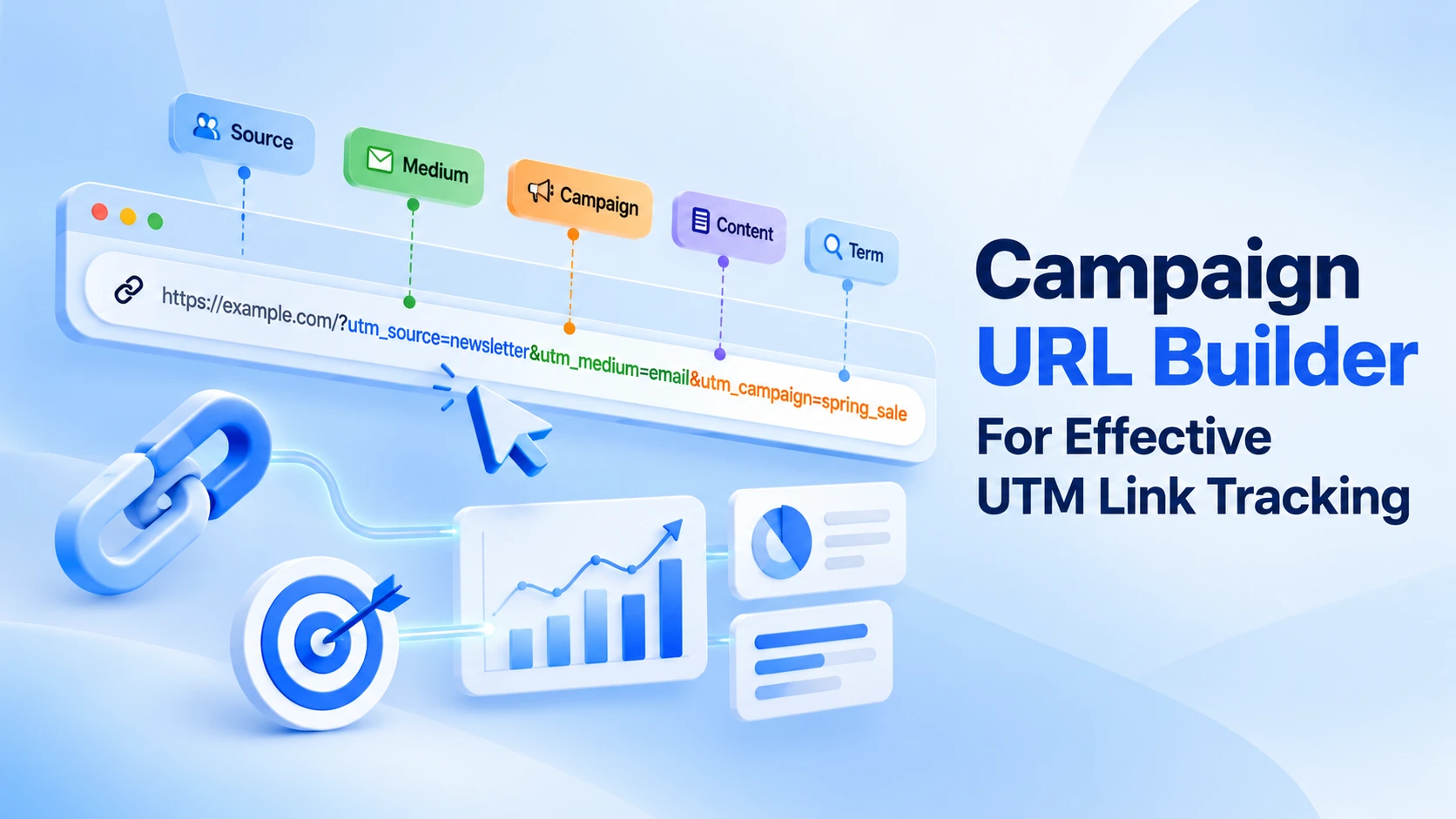
In simple terms, UTM parameters are small snippets of text you incorporate at the end of a URL. They act like a label on a package: they tell Google Analytics exactly where a visitor came from and how they reached your website. As a user, you can develop these tracking links using a campaign builder URL. As a result, Google Analytics can accurately track and attribute your marketing traffic.
Here’s an example. A normal URL looks like this:
A URL with UTM parameters looks like this:
The extra text after the “?” is the UTM parameter. When a visitor clicks this link, Google Analytics uses those labels to record where the visitor came from.
There are 5 standard UTM parameters, including:
| Parameter | What It Tracks | Example |
| utm_source | Where the traffic comes from | Facebook, Google, newsletter |
| utm_medium | The marketing channel used | Social, Email, CPC |
| utm_campaign | The name of your campaign | Summer_sale, product_launch |
| utm_term | Keywords (for paid search) | Running+shoes, cheap_flights |
| utm_content | Specific content or ad version | Banner_ad, text_link |
Importance of UTM Parameters Campaign URL Builder
UTM parameters help businesses turn vague website traffic numbers into precise, actionable performance data that reveals exactly which posts, ads, or emails drive sales and engagement. Furthermore, they perform different functions, including:
- Pinpoint Traffic Origins: They identify the exact platform, email, or social post a visitor clicked, saving traffic from being assumed as generic “direct” or “referral”.
- Measure Campaign ROI: You can associate specific marketing dollars or social media efforts directly to real conversions, sign-ups, and purchases.
- Compare Content Variations: Optional tags help you compare and differentiate ad copy, design versions, or specific keywords to examine what works appropriately.
- Clean Analytics Reports: They establish incoming data uniformly across platforms such as Google Analytics or your CRM.
Can We Use UTM Parameters in Email, Messaging, or Social Campaigns?
You can use UTM parameters in email, messaging, or social campaigns to determine which channels work best for your buyer personas and current website audience. Discovering which channels work best helps your team target and use the content that performs well, which can improve your campaigns’ return on investment (ROI).
Campaign URL Builder (Definition)
As per Google, a campaign URL builder is “a tool that allows you to easily add campaign parameters to URLs so you can measure Custom Campaigns in Google Analytics.”
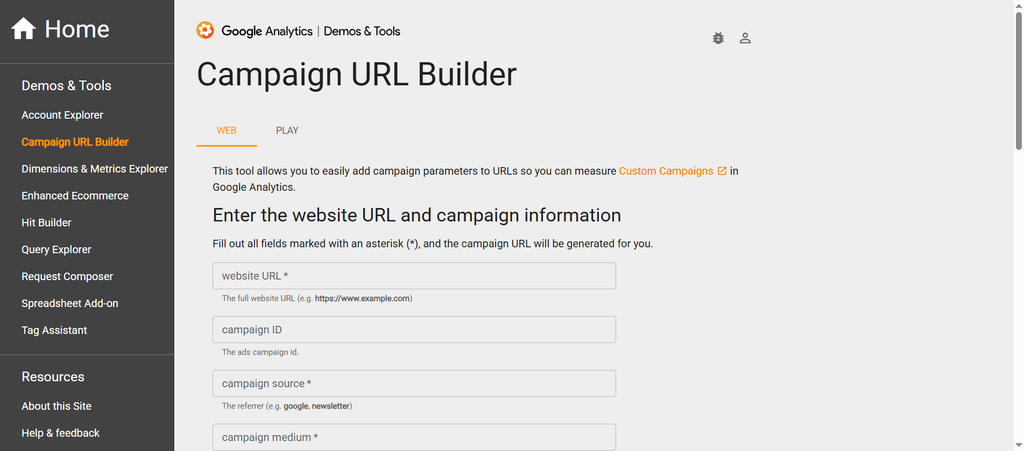
Now that you know what a campaign URL builder is, let’s look at how Google URL Builder works.
URL Builder helps you create unique URLs for marketing campaigns by incorporating UTM parameters. These UTM parameters act as tags you can add to the end of your URLs to track specific information about the traffic coming to your website.
For instance, you can use a Google URL generator to trace your traffic source (e.g., Facebook, Twitter, etc.), the campaign name, and the specific content you likely promote.
What is an example of a URL Builder?
Here is an example of a tracking URL builder for Google: https://www.objects.ws?utm_source=Google&utm_medium=Email&utm_campaign=Sale+promotionhtt
For instance, when a user clicks the tracking URL builder with these appended UTM parameters, you can view insights in Google Analytics about the channel they used to access your page and how they found it.
So now let’s explore the following campaign URL builder options that you can include:
What is the campaign ID in URL Builder?
The campaign ID mainly acts as a unique identifier. It helps a user differentiate campaigns in their analytics reports. Using unique Campaign IDs lets you differentiate multiple campaigns at once and easily distinguish them.
What is the Campaign Source in URL Builder?
The campaign source helps users identify the platform that sends traffic to your site. The platform can be Twitter (X), Facebook, Google (a notable search engine), or a referral site.
What is the Campaign Medium in URL Builder?
The campaign medium explains how you drive traffic to your website. For example, if you run a Facebook campaign, the medium is social media. If you run a PPC campaign, the medium is Microsoft Advertising or AdWords.
What is the Campaign Name in URL Builder?
The campaign name in URL builder helps you identify your campaign in analytics reports. You can use the product or service name as the campaign name. This way, you can differentiate your campaign from other campaigns like “Autumn_Sale.”
What is the Campaign Term in URL Builder?
The campaign term refers to paid search campaigns. It is a specific keyword a user can target in their ad, e.g., “basketball+shoes.”
What is the Campaign Content in URL Builder?
Campaign content in URL Builder helps differentiate between campaign versions. It also lets you differentiate between several pieces of content in the same campaign. For instance, if you run an email campaign with different email versions, campaign content helps you see which version delivers the desired results.
When discussing UTM parameters for Google Analytics, Source and Medium are crucial. They help produce a Google URL builder for campaigns. When a user enters the Source and Medium, the campaign URL builder optimizes the URL accordingly.
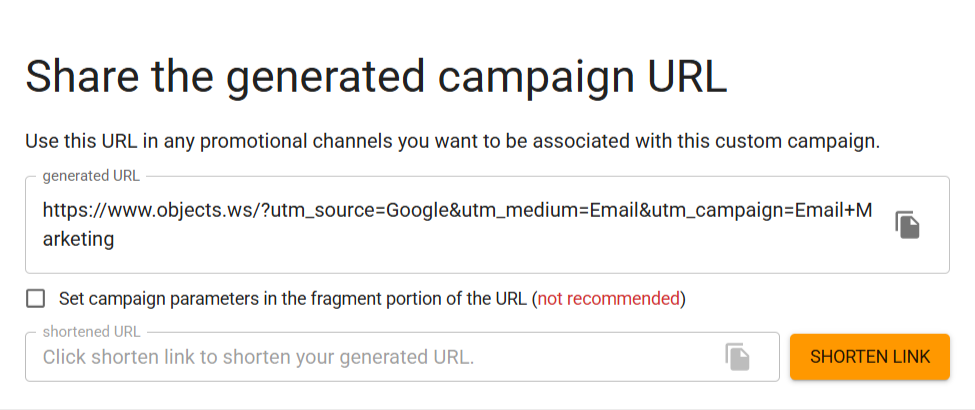
When a user clicks the “Shorten Link” option, the process is completed. This lets them use the unique trackable URL builder link.
Crucial Benefits of Using the Google Campaign URL Builder
Campaign URL Builder is a free, web-based tool Google powers on its GA Dev Tools platform. This tool helps develop custom tracking links for marketing campaigns.
Detailed and Accurate Campaign Tracking
Adding UTM parameters to your URLs helps you identify where your traffic comes from and which campaigns drive the most conversions. For instance, you manage a paid search campaign following specific keywords. In this situation, the Google Campaign URL Builder helps you see keyword performance and conversions. As a result, you can adjust bids and improve your campaign’s impact.
Get a Better Understanding of Audience Behavior
With Google URL Builder, you can easily monitor each campaign or ad set (ad content) separately. This offers you insights into how users communicate with your website and what content interests them.
If you run an email marketing campaign for a new product, Google URL Builder lets you monitor each email version separately, see which delivers the best results, and identify which links drive the most traffic.
This helps you improve your email marketing strategy and boost open and click-through rates. You should ensure that your email links are properly tracked and not flagged by spam filters to improve email deliverability.
Flexible and Customizable
The Google URL Builder gives you greater flexibility and customization, letting you adjust tracking parameters to specific campaigns and needs. You can also add parameters to your campaign links, such as source, medium, name, terms, and content, making it easy for Power BI consultants to organize and analyze data and make decisions depending on campaign-specific data.
Put simply, a tracking URL builder and Google Analytics help you identify which campaigns drive the most leads and conversions.
UTM Parameters Implementation Examples
This section will discuss a few UTM parameters implementation examples, including:
UTM in a Travel Website
If you want to see how to implement UTM parameters on a travel website, we have you covered. The example below relates to a travel website: Get Your Guide.

Get Your Guide’s affiliate link:
- utm_medium: online_publisher
A travel blogger shared this affiliate link on their blog; therefore, the medium is online_publisher.
UTM in a Facebook Campaign
Another example of UTM parameters implementation is a Facebook campaign. ClickFunnels executed the Facebook ad:
- utm_source: facebook
- utm_medium: advertising
- utm_campaign: CFTrial (ClickFunnels trial)
- utm_term: CFretarget (retargeting audience)
- utm_content: russellreact (the creative — Russell’s reaction shot)
UTM from a Sales Campaign
The example below relates to Zapier’s Google ad campaign:
- utm_source: google
- utm_medium: cpc (cost per click)
- utm_campaign: gaw-gbl-nua-search-desktop-trademark-brand_exact
- utm_term: zapier
- utm_content: a string of auto-populated value tracking parameters
The utm_content value here belongs to machine-generated Google Ads value-tracking parameters and contains the creative ID, keyword, match type, device, and ad group. If you tag Google Ads URLs one at a time, you can add UTM parameters into Google Ads instead.
You can see a GCLID at the end. It’s Google’s own click identifier, similar to UTMs but only within Google’s ecosystem.
Wrapping Up
We hope you have appreciated our blog post describing Campaign URL Builder. You now understand Google’s Campaign URL Builder, which helps you monitor your marketing campaigns. UTM parameters help you understand your website’s traffic and provide the information you need to make data-driven decisions and improve your marketing performance.
FAQs
Can we use UTM parameters on any site, not just WordPress?
UTM parameters work on any site, regardless of platform, including WordPress, Shopify, Wix, Squarespace, or custom-built sites. You need to have Google Analytics (or another analytics platform) installed for UTM tracking to work.
Should I use UTM parameters on all my links?
You can use UTM parameters on all external links. This means you can share any link outside of your site (email, ads, social media, others). Remember, you should avoid using UTM parameters on internal links to your site.
Do UTM parameters influence my SEO rankings?
UTM parameters don’t affect your SEO rankings. Moreover, Google often overlooks UTM parameters when crawling and indexing pages. That said, add canonical tags to pages that get UTM-tagged traffic to avoid duplicate-content issues, just to be safe.
What are the advanced UTM parameters?
Advanced UTM parameters include utm_source_platform and utm_creative_format. utm_source_platform helps highlight the specific buying platform responsible for the traffic. This helps differentiate traffic managed by Google Ads from Search Ads 360. utm_creative_format is the latest parameter that classifies the ad type, such as video, carousel, or native.
Can I track offline campaigns with UTM parameters?
If you want to use UTM-tagged URLs in offline marketing, convert them into QR codes. When a user scans the QR code, they are taken to your UTM-tagged URL, and GA4 tracks the visit like any other online click. This helps assess the effectiveness of print ads, flyers, and business cards.