


Many netizens still seek answers to these questions: “What is Microsoft SharePoint?”, “What can it do for us?”, and “Why should we use it?”
Microsoft SharePoint is one of the world’s most prominent collaboration and content management platforms used by small or large businesses alike. With this powerful solution, businesses can streamline and amplify seamless teamwork while securely managing documents from anywhere in the world.
In easy terms, SharePoint is a cloud‑based content platform that helps boost team productivity from anywhere, securely share information, and simplify typical tasks.
This blog post will answer the question: “What is Microsoft SharePoint?” and discuss its common use cases in today’s era.
What Do You Mean by Microsoft SharePoint?
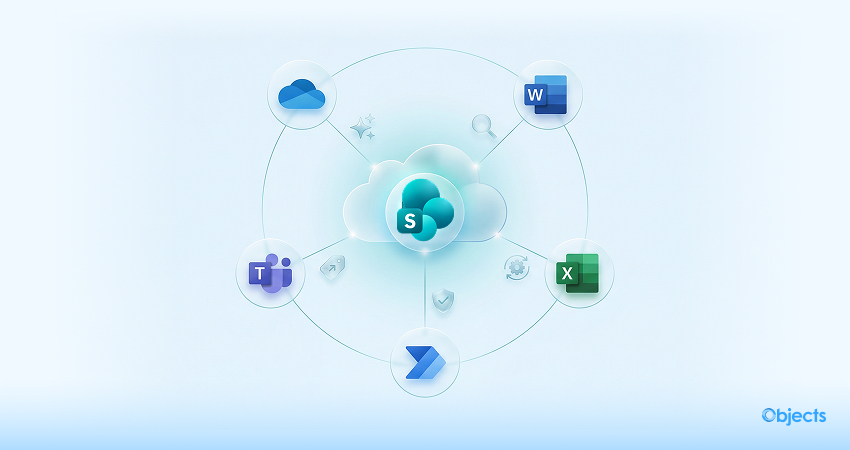
Microsoft SharePoint is a powerful, customizable cloud platform for content management and collaboration. It helps multiple teams work remotely, co‑author documents in real time, create intranets, simplify workflows, and develop custom apps.
SharePoint is smartly incorporated with Microsoft 365 (including OneDrive, Word, Teams, Excel, and Power Automate). This means you can access workspaces and files from any device using an Internet connection. Its robust security controls safeguard sensitive, critical information while granting the right users the access they require.
Currently, recent updates enable SharePoint to provide users with AI‑powered features, including automatic content tagging, intelligent search, and Copilot-assisted content creation. These enhancements make users’ lives easier, enabling them to organize information, find what they need quickly, and create pages without technical expertise.
Salient Features of Microsoft SharePoint
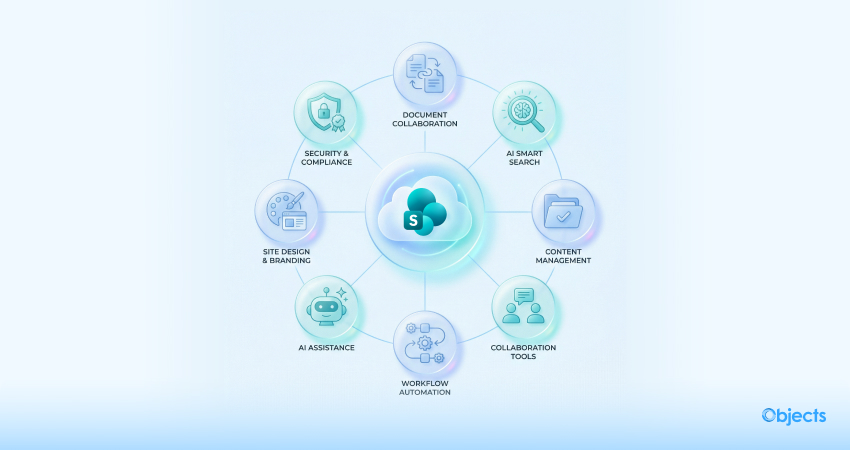
SharePoint comes with numerous capabilities; below is a summary of the most significant features in 2026 and beyond:
Document Collaboration: Multiple users can make changes to a document simultaneously with automatic version control. You can monitor changes and choose previous versions if required.
Smart Search: AI‑powered search helps you easily analyze context and user behavior, making it easier to detect documents, users, or sites across your company.
Content Management: You can manage and organize documents through lists, libraries, metadata, retention policies, and compliance tools. SharePoint’s new Content AI can assist with translating documents, autofilling metadata, and supporting additional file formats, including Markdown and web archives.
Collaboration Tools: You can integrate with Yammer, Teams, and other Microsoft 365 apps to simplify and improve communication. Moreover, they allow you to embed videos from Clipchamp or Stream and incorporate interactive web parts such as forms or charts.
Workflow Automation: You can streamline repetitive tasks via Power Automate. The new Workflows app for SharePoint and Teams empowers users to create simple automations in a few steps without coding.
AI Assistance: Copilot allows users to write pages, generate document summaries, develop reports, and recommend edits via natural‑language prompts. SharePoint agents can smartly answer scoped questions about site content and help users quickly explore information.
Site Design and Branding: You can personalize site layouts, headers, and footers. The new Brand Center helps ensure branding remains consistent across sites, and the anticipated read-time indicator on news posts helps readers manage their time effectively.
Security and Compliance: SharePoint comprises encryption, granular permissions, data loss prevention, and access policies. AI also includes intelligent threat detection and automated compliance checks to secure users’ data.
What is Microsoft SharePoint Used for?

SharePoint can provide users with solutions related to various challenges in contemporary workplaces. You must ask the following questions yourself:
- Do you manage a remote workforce, or do you allow employees to work remotely?
- Do your employees move between client sites more than normal?
- Do they have to access files from tablets, phones, or laptops?
- What do you do to share and store critical documents?
- Do you offer customers portals, online forms, or catalogues?
- Do you still use USB drives or email attachments to distribute files?
- Do your colleagues want an easier way to explore information?
Fortunately, SharePoint addresses all the above-mentioned needs. Microsoft SharePoint offers various built-in features, such as real-time co-authoring, powerful tagging to make content easier to find, anywhere, anytime access (all you require is a stable, uninterrupted internet connection) on any device, and remarkable integration with your existing Microsoft 365 environment, which allows you to be more agile and productive throughout the day.
Different Use Cases for Microsoft SharePoint

Microsoft SharePoint can easily facilitate numerous business processes. Here are several ways businesses of various sizes can use SharePoint today:
Document Management and Collaboration
You can centrally save Excel, Word, PowerPoint, and OneNote files; co‑author documents in real time; securely share them, and track versions appropriately.
Intranet and Communication Portals
Users can develop internal sites for news, event information, announcements, and policies to keep employees engaged and informed. This will likely enhance transparency, improve employee morale, and increase overall collaboration within businesses, whether large or small.
Intranet sites primarily serve as a centralized hub for employees to access crucial information, stay connected with colleagues, and stay updated on business news and progress, eventually leading to a more informed and cohesive workforce.
Workflow Automation
Users can leverage Power Automate to develop workflows that gather approvals, deliver notifications, monitor status, or integrate with third‑party apps.
Content Management
Microsoft SharePoint can help users create libraries using custom metadata; tag content for smart search, determine compliance and retention policies; and streamline translation and classification with the support of Content AI.
Microsoft 365 Integration
Users can benefit from SharePoint’s powerful integration with Microsoft 365 tools, such as OneDrive and Teams, to create a holistic work environment that will likely enhance productivity and collaboration.
Mobile Accessibility
Access SharePoint on the go via its mobile-friendly interface, enabling continuous collaboration and content access from anywhere.
Here are a few main points you should consider:
- Responsive Design: SharePoint’s responsive design allows users to enjoy smooth interaction and easy navigation across devices, from tablets to smartphones.
- Anywhere, Anytime Access: SharePoint’s mobile app lets users access lists, documents, and libraries from anywhere, enabling seamless connectivity during travel, remote work, or client meetings.
- Collaboration on the Go: Mobile access helps users enhance real-time collaboration, enabling them to co-author documents, make updates, and easily interact with team members.
- Notifications and Alerts: Users can respond promptly and stay informed by documenting changes and task assignments with SharePoint’s mobile app notifications, from anywhere.
Business Intelligence (BI)
Consider availing Power BI and other tools to create reports and interactive dashboards within SharePoint. Try asking natural‑language questions with the Q&A feature.
- Interactive Dashboards and Reports: Users can develop data visualizations and dynamic reports within SharePoint using Power Pivot and Power View.
- Collaboration and Data Exploration: SharePoint Online enhances collaborative data exploration, enabling teams to share insights.
- Natural Language Query: You should use SharePoint’s Q & A feature to ask questions by benefiting from natural language.
Project Management
You can use SharePoint to improve progress monitoring, task assignments, and project management. This way, you can smartly boost team collaboration and drive successful results.
Custom Applications and Integrations
SharePoint operates as more than a document storage platform; it is a versatile solution that users can customize to meet their business’s unique needs. Here’s how:
- Custom Apps: Inside SharePoint, you can create tailor-made applications. The good thing is that these apps can help automate processes, handle data, or improve collaboration.
- Integration: You can connect SharePoint with other systems, such as ERP (Enterprise Resource Planning) or Customer Relationship Management (CRM), to automate data flows and enhance efficiency.
External Sharing and Customer Engagement
You can effortlessly share prototypes or documents with customers, vendors, or partners. In addition, you can easily apply expiration dates for control permissions and invitations for external users.
Wrapping Up
We expect you to appreciate our blog post, which explains Microsoft SharePoint in detail. Undoubtedly, SharePoint has transformed itself into a comprehensive content platform that does more than file storage.
Through site agents, robust workflow automation, and, more importantly, AI‑driven content management and Copilot assistance, it can enhance productivity, simplify collaboration, and improve security.
Recent updates, such as improved analytics, new file‑format support, site attestation, and simplified workflows, keep SharePoint at the forefront of highly modernized digital workplaces.
Hopefully, this blog post has answered your query: “What is Microsoft SharePoint?” thoroughly.
What is Microsoft SharePoint – FAQs
What is the difference between SharePoint and OneDrive?
OneDrive offers a consistent, intuitive file experience across all your devices, such as mobile, web, and desktop on Windows PCs and Macs. Behind the scenes, SharePoint in Microsoft 365 provides users with content services for all files in Microsoft 365, including the ones you work with in Teams, Yammer, and Outlook.
What are the basic functions of SharePoint?
As for Microsoft SharePoint, it primarily serves as a centralized platform for document management, enabling users to save, organize, and collaborate on files and documents. SharePoint also allows team collaboration through features such as project sites, task lists, and communication tools.
What do you know about SharePoint agents?
SharePoint agents mainly work as AI-powered tools that examine a site’s content, answer user questions, summarize information, and instantly find required documents.
Users can create custom agents for specific libraries or folders, making content exploration and handling easier and more effective.