

Given that more and more netizens try to find and order services online, the difference between an unsuccessful business and a thriving one typically boils down to how efficiently you handle or optimize your ads.
Specifically, Google Ads is arguably the most powerful advertising network worldwide.
While a wide range of guides on Google Ads management provide users with generic advice, true expertise lies in the uncommon or unhidden strategies that can significantly amplify your campaign performance.
This blog post offers numerous tips to transform your Google Ads approach and give you a competitive edge in an ever-expanding online advertising industry.
What is Google Ads Management?
Google Ads management lets you oversee paid search and display activity to ensure campaigns drive measurable business outcomes.
While launching ads is simple and doesn’t require rocket science, managing them effectively requires a systematic approach to implementation, planning, and optimization that ensures every impression and click drives revenue.
The key objective of this task is to maximize advertising ROI.
1 – Examine Google Ads Account Structure and Follow Best Practices
Before you launch the first campaign for your business in Google Ads, you must cross-check the account structure. If you know about the account structure in Google Ads, you must realize that it helps organize your campaigns, keywords, and ad groups.
In Google Ads, you have to utilize the account hierarchy, which is given below:
- Account
- Campaigns
- Ad Groups
- Keywords
After creating a campaign, your team should develop a set of ad groups that correlate with its topic or focus. If you’re creating a campaign for sneakers, for example, your ad groups should comprise brown, red, and green sneakers.
These ad groups contain contrasting keywords. Your ad group for red sneakers, for example, can comprise keywords such as “red sneakers,” “red lace-up sneakers,” and “casual red sneakers.” All such keywords clearly explain your product and target high-value searches.
In case your team crafts mismatched keyword ad groups, it can negatively affect your ad campaign’s performance (and can increase costs as a result). That’s because your ads receive a quality score that identifies the quality and relevance of your ads, landing pages, and keywords.
2 – Monitor Your Competitors’ PPC Tactics
The next step in Google Ads management is to promote your company beyond the platform. Undoubtedly, your business can develop and begin an advertising campaign without researching competitors; however, PPC specialists usually don’t follow this practice.
Overlooking competitor research does not help your tactic get the desired success in the long run. It can hurt your performance, leading to lost leads, wasted ad spend, and reduced revenue.
You can monitor your competitors (and their ads) in many easy ways, including:
- Write search terms on Google, and check what ads show up.
- Purchase a paid third-party tool, like SEMRush, to understand the competitor’s strategy.
- You can use a free third-party tool, like iSpionage, to evaluate competitor ads, keywords, and more.
If you’re collaborating with a PPC agency or a PPC consultant, they should conduct a competitor analysis as part of their PPC services.
To achieve the desired outcomes, contact an agency or consultant, such as Objects, that offers this service. It can boost your campaign and help your business get the most from your advertising budget.
3 – Correlate Your Targeting with Your Goals and Audience
As you describe your account structure, it is better to consider your goals and audience.
For instance, are you targeting users researching red sneakers or those looking to buy them? If you’re targeting someone researching sneakers, then the keyword “casual red sneakers” should be a great option.
A ready-to-buy user, however, requires something more specific, like “Nike Air Max Motion 2 red.”
This is a critical aspect of Google AdWords management.
A discrepancy between your goals (e.g., driving sales) and your targeting (e.g., users researching shoes) can lead to campaign failure. Therefore, you should invest sufficient time in assessing your goals and audience, and then use that information to redirect your campaign targeting.
If you’re looking to enhance purchases from your ad campaign, for instance, then target keywords with a buy-now or transactional intent, like “Nike air max motion 2 red,” “emergency dog hospital,” or “portable heater for sale.”
On the contrary, you must focus on top-of-the-funnel keywords to reach users in the early stages of shopping.
4 – Refine Your Keyword Targeting and Audience

Once you have successfully formulated your ad structure, alongside your competitor research, and have launched your dedicated landing page, you can concentrate on the continuing process of managing your Google Ads account.
As part of your ongoing Google Ads management efforts, you must focus on refining your target audience and keyword filters.
Following your campaign’s launch, your team can begin gathering data on your audience targeting and keyword performance.
For instance, you can get an idea which keywords drive the most clicks, come with the highest cost, and more.
You can also explore audience demographics, behaviors, and interests that often produce the most clicks and conversions.
Moreover, you can easily identify which days of the week and timeframes offer the best results.
With this data, your team can filter your audience and target to concentrate on the most profitable audience members, keywords, and times.
You want to take this proactive step because it maximizes your campaign results and helps your business make the most of your ad spend.
5 – Enhance Bids through Strategic Management
You can heavily rely on Google Ads when managing ad bids to understand and provide reliable yet impactful knowledge to your team and optimize the ad spend.
This task is both critical and time-consuming. Therefore, your team must complete this activity to produce the required deliverables.
Given your tactics and Google ad campaigns, your team must allocate time to manage bids accordingly.
For example, allocating multiple bids to individual keywords takes more time than developing a single bid for an entire ad group.
Strategic bid management is worth considering, as it enables your team to manage your ad budget proactively.
Don’t forget, your bid can hugely impact your Ad Rank, which decides your position (and appearance probability) in search results.
6 – Improve Campaign Performance through A/B Testing

As you may be aware, A/B testing is one of the most influential aspects of Google AdWords Management. However, it will require your patience and motivation to achieve the best results. There is no denying that it can deliver significant returns for you, your team, and your company.
If you go with A/B testing to check the effectiveness of your campaigns, Google helps you examine various features, like:
- Landing pages
- Ad targeting
- Ad copy
- Ad bid
- And more
As for Google AdWords management, you can develop and launch experiments very quickly. That said, you must review your data and compile your tests. Likewise, you should coordinate with team members, such as copywriters for an ad copy revamp or developers for a landing page design.
To achieve the best outcome, your company should consider performing an A/B test.
This approach enables your team to continually gather data and insights on your campaign, enhancing its productivity and return on investment (ROI).
7 – Align Ads and Landing Pages
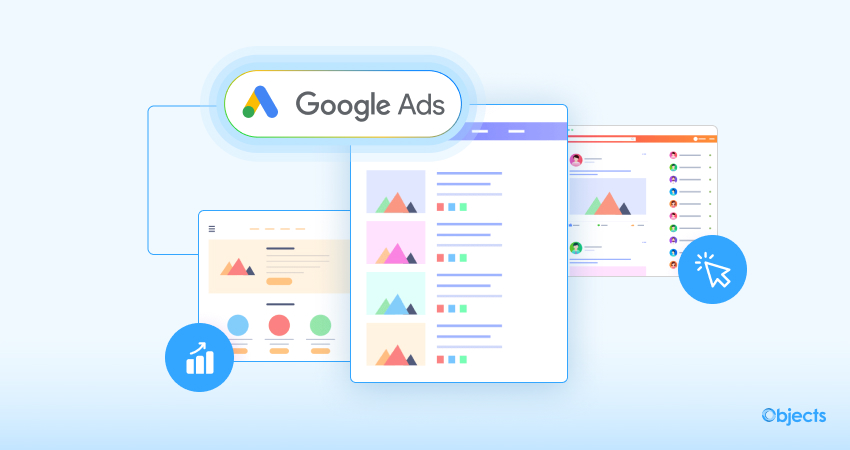
In online advertising, landing pages help businesses drive significant conversions.
For example, when a user clicks your ad, they are taken to your landing page, where they can review your products or services, explore your business, and, in the final step, make a purchase.
Unfortunately, businesses, large or small, often make mistakes in this part of Google Ads management.
They don’t focus on developing dedicated landing pages for their ad groups. It’s not so difficult to comprehend why.
As expected, developing, designing, and launching custom landing pages is time-consuming and resource-intensive. Lastly, it does at times require external expertise.
What is Google AdWords Called Now?
Google AdWords is now known as Google Ads, a rebrand that took effect in July 2018 to highlight the platform’s wide range of advertising options besides search text ads, including display, video, and app campaigns.
The change helped streamline Google’s advertising product suite, bringing it under the unified Google Ads brand, along with other platforms such as Google Marketing Platform (combining DoubleClick & Analytics 360) and Google Ad Manager (combining DoubleClick for Publishers & Ad Exchange).
Google Ads Revenue (2024)
Google Ads dominated the digital advertising industry in 2024. The leading search engine generated $264.5 billion in revenue in the same year.
Wrapping Up
Managing the Google Ads account is challenging because you must continually focus on improving your ad management.
The good news is that attention and ongoing management can deliver significant results for businesses of all sizes, including sales, leads, and revenue.
If you know the real value of Google Ads management, but also realize that ad management is a time-consuming and grueling task, contact a professional Google Ads management company like Objects.